
Enable or Disable Booking Preview on Hover
Edited
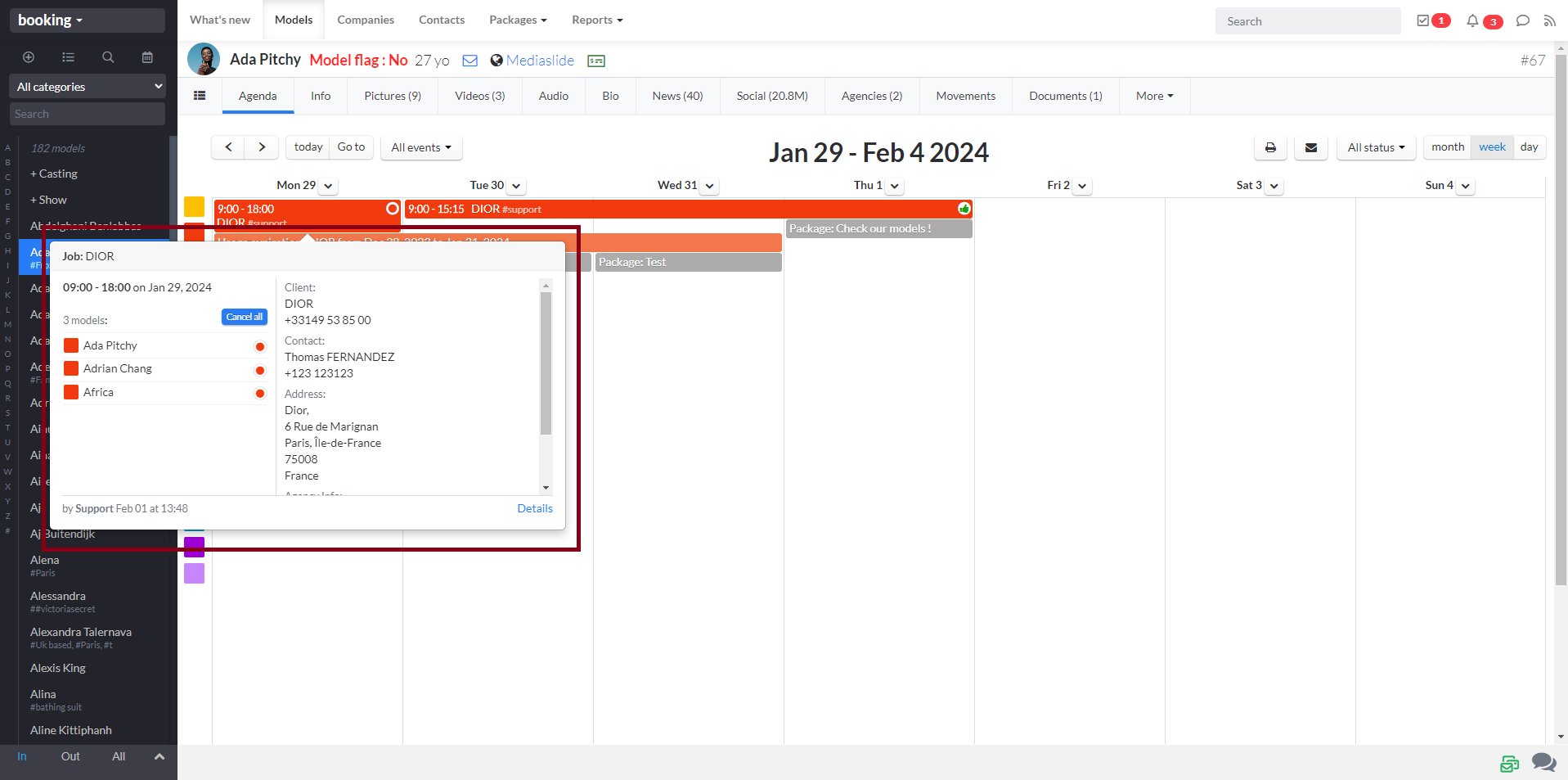
Depending on your workflow preferences, you may want to display a quick preview when hovering over a booking in the agenda. This feature helps you instantly view key booking details without opening the event.
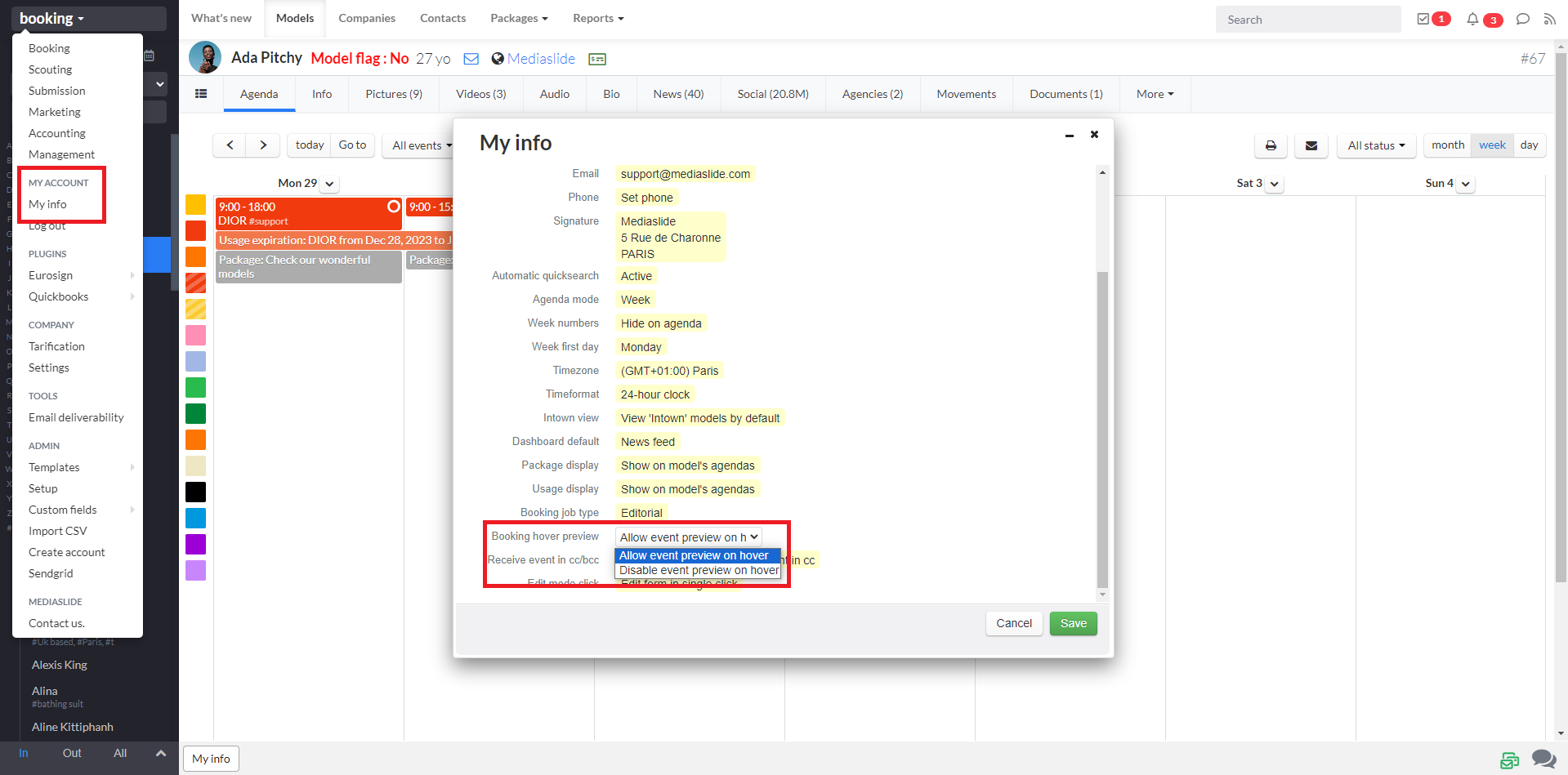
You can easily enable or disable this preview option in your account settings.
Go to:
My Account → My Info → Booking Hover Preview
From there, choose one of the following options:
Allow event preview on hover (to enable quick booking previews)
Disable event preview on hover (to turn off hover previews)
Was this article helpful?
Sorry about that! Care to tell us more?