
Set Your Default Dashboard for Faster Access
Edited
Depending on your daily workflow, you may find yourself frequently checking the same information every day.
Good news! With Mediaslide, you can now choose which dashboard appears by default when you log in, helping you save time and avoid unnecessary clicks.
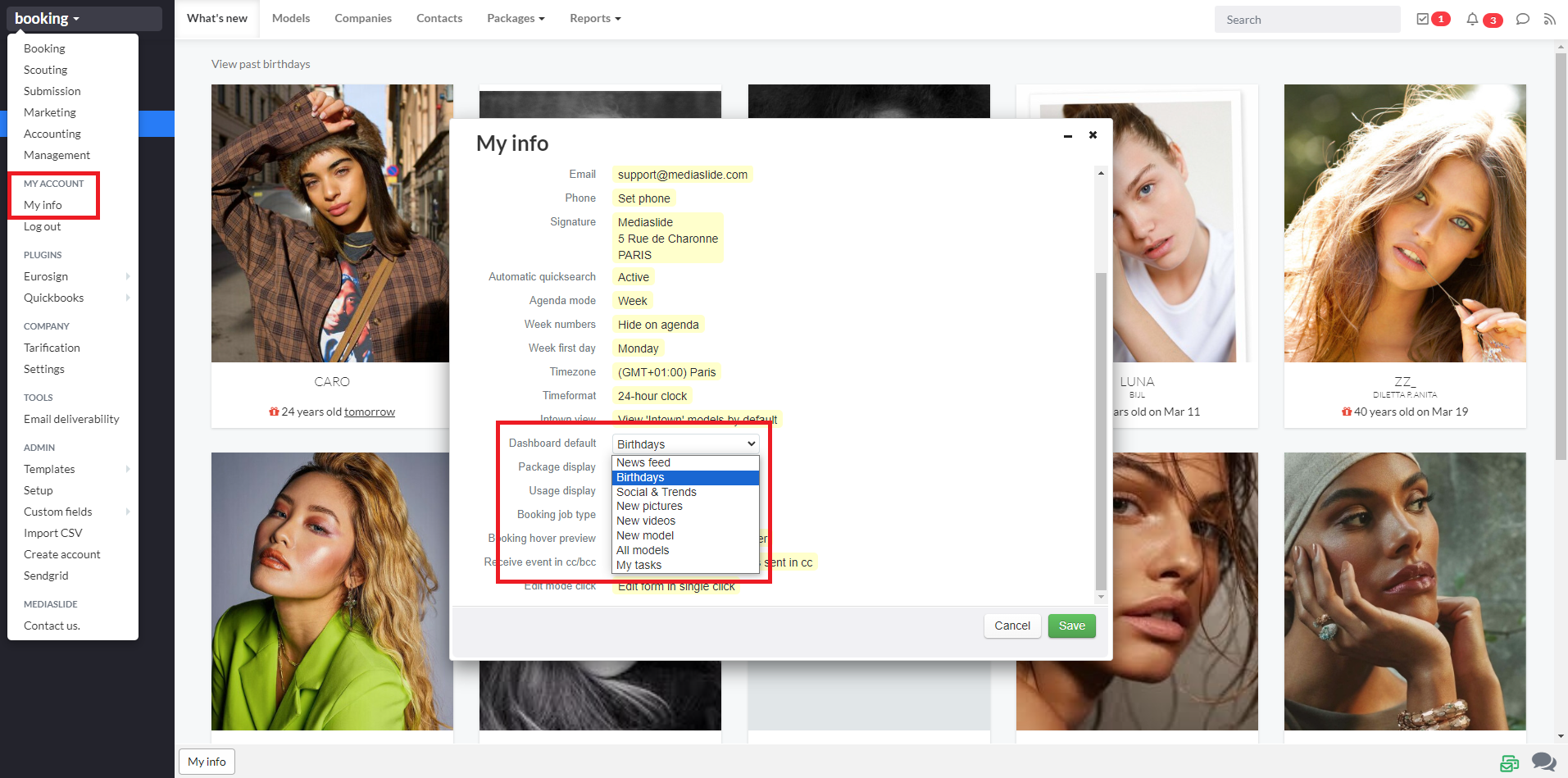
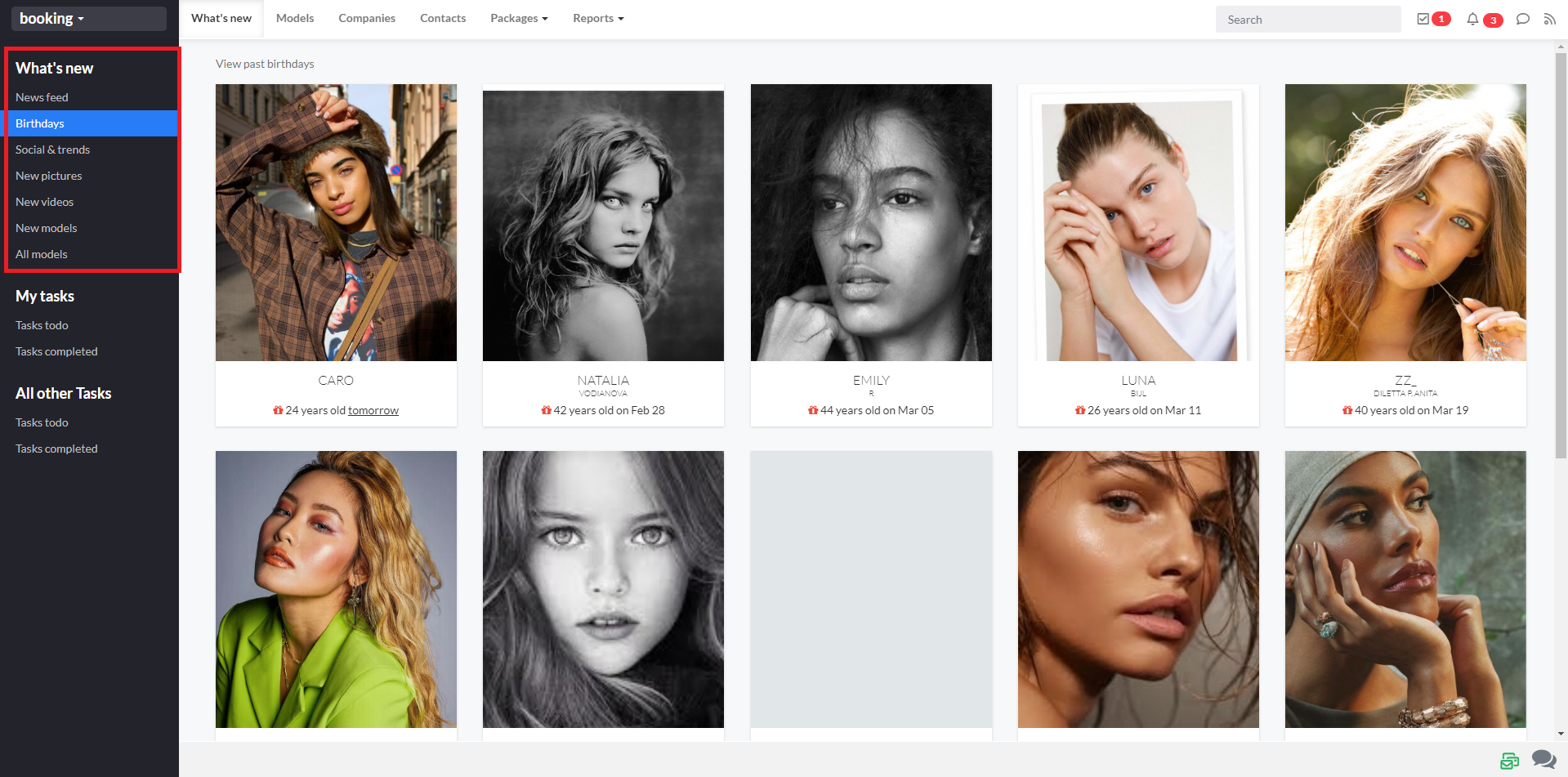
Whether you prefer the news feed, birthdays, social & trends, new pictures, new videos, new models, or the full models list, you can tailor your experience to what matters most to you.
To set it up, simply go to:
My Account → My Info → Dashboard Default, then select your preferred option from the available list.
Was this article helpful?
Sorry about that! Care to tell us more?